
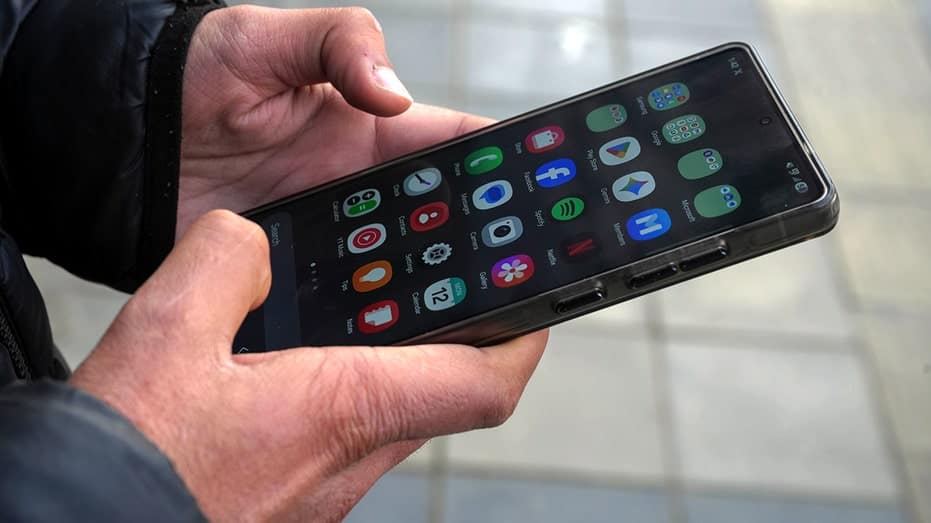
Most people never think about Android security updates until a headline like this appears. Suddenly, your phone, the device you use for messages, banking, photos and work, becomes part of a global cybersecurity story.
That is exactly what happened this week. Google released its latest Android security updates, and they fix a massive 129 vulnerabilities. Even more concerning, one of them is already being exploited by attackers.
The flaw targets a component connected to Qualcomm graphics hardware, and researchers say it has already been used in limited targeted attacks. If you use an Android phone, this is the kind of update you want installed as soon as possible.
Sign up for my FREE CyberGuy Report
Get my best tech tips, urgent security alerts, and exclusive deals delivered straight to your inbox. Plus, you’ll get instant access to my Ultimate Scam Survival Guide – free when you join my CYBERGUY.COM newsletter.
GOOGLE DISMANTLES 9M-DEVICE ANDROID HIJACK NETWORK
Android security flaw already targeted by attackers
One vulnerability in particular has security researchers paying close attention. The flaw is tracked as CVE-2026-21385. Google says there are signs it is already being used in targeted attacks. That makes it a zero-day vulnerability.
In simple terms, attackers discovered the flaw before many devices received a fix. According to Qualcomm, the problem is tied to the graphics processing component inside many of its chipsets. Specifically, the issue involves something called an integer overflow. That technical term means a calculation error can cause memory corruption inside the system. Once that happens, attackers may gain a foothold on the device.
Qualcomm says the flaw impacts 235 different chipsets, which means a large number of Android phones could be affected. Google’s Threat Analysis Group discovered the issue and reported it through coordinated disclosure practices. Qualcomm then worked with device makers to release patches.
Why the Android security vulnerability is dangerous
Several of the patched vulnerabilities allow attackers to execute code remotely or gain elevated privileges on a device. One issue inside the Android System component is especially concerning. Google says it could allow remote code execution without any user interaction.
That means an attacker may exploit the flaw without the victim tapping a link or installing an app. In cybersecurity terms, that type of vulnerability ranks among the most dangerous.
The March Android bulletin addresses ten critical flaws across the System, Framework and Kernel components. These parts sit at the core of Android, so any weakness there can ripple across millions of devices.
ANDROID MALWARE HIDDEN IN FAKE ANTIVIRUS APP
Why some Android phones get security updates faster
Google released two patch levels for this update:
The second update includes everything in the first, plus fixes for additional hardware components and third-party software. Google Pixel devices typically receive updates immediately. However, many Android users must wait longer.
Phone manufacturers such as Samsung, Motorola and OnePlus often test the patches before releasing them for specific models. Carriers may also delay updates while they verify compatibility. As a result, some users receive security patches quickly while others wait weeks.
How to protect your Android phone from security threats
Security vulnerabilities are a reality in modern software. The good news is that there are several simple steps that can greatly reduce your risk.
1) Install Android updates quickly
Check for updates regularly and install them as soon as they appear. On most devices, go to Settings, tap Security and privacy or Software update, then select Check for updates and install the latest version if one is available. Security updates often fix vulnerabilities that attackers may already be trying to exploit.
2) Avoid apps from unknown sources
Only download apps from trusted stores like Google Play. Third-party app stores pose a higher risk of malware.
3) Keep Google Play Protect enabled
Google Play Protect, which is built-in malware protection for Android devices, scans apps for malicious behavior and warns you if something suspicious appears. It also automatically removes known malware. However, it is important to note that Google Play Protect may not be enough. Historically, it isn’t 100% foolproof at removing all known malware from Android devices. Therefore, we recommend strong antivirus software because it adds another layer of protection by using deeper threat detection, real-time monitoring and broader malware databases that can catch suspicious apps or files that Google Play Protect may overlook. Get my picks for the best 2026 antivirus protection winners for your Windows, Mac, Android & iOS devices at Cyberguy.com.
4) Use strong device security
Set a strong passcode on your phone and turn on fingerprint or face unlock if your device supports it. This helps keep strangers out of your phone if it is lost or stolen.
5) Be cautious with suspicious links
Many attacks still start with phishing messages. Avoid tapping unknown links in texts, emails, or social media messages.
YOUR PHONE SHARES DATA AT NIGHT: HERE’S HOW TO STOP IT
The bigger picture behind Android security updates
This Android update also highlights how modern mobile security works behind the scenes. Google’s Threat Analysis Group frequently discovers vulnerabilities that may already be used in real-world attacks. Those findings trigger coordinated responses involving chip manufacturers, phone makers and security researchers. In this case, Qualcomm received the report in December and provided fixes to device makers in early 2026.
By the time the public bulletin arrived, patches were already moving through the Android ecosystem. The process may look slow from the outside. In reality, it involves dozens of companies working together to prevent widespread exploitation.
Kurt’s key takeaways
Security updates rarely feel exciting. Yet they play a critical role in protecting billions of smartphones around the world. This latest Android update proves that point clearly. A zero-day flaw tied to Qualcomm graphics hardware was already being targeted before many users even knew it existed. Installing updates quickly remains one of the simplest ways to protect your device and your personal data. Most of the time, the update only takes a few minutes. Those few minutes can block attacks that might otherwise compromise your phone. So the next time your Android device prompts you to install a security patch, the better question may be this:
When your phone asks for a security update, do you install it immediately or tap remind me later? Let us know by writing to us at Cyberguy.com.
Sign up for my FREE CyberGuy Report
Get my best tech tips, urgent security alerts, and exclusive deals delivered straight to your inbox. Plus, you’ll get instant access to my Ultimate Scam Survival Guide – free when you join my CYBERGUY.COM newsletter.
Copyright 2026 CyberGuy.com. All rights reserved.